
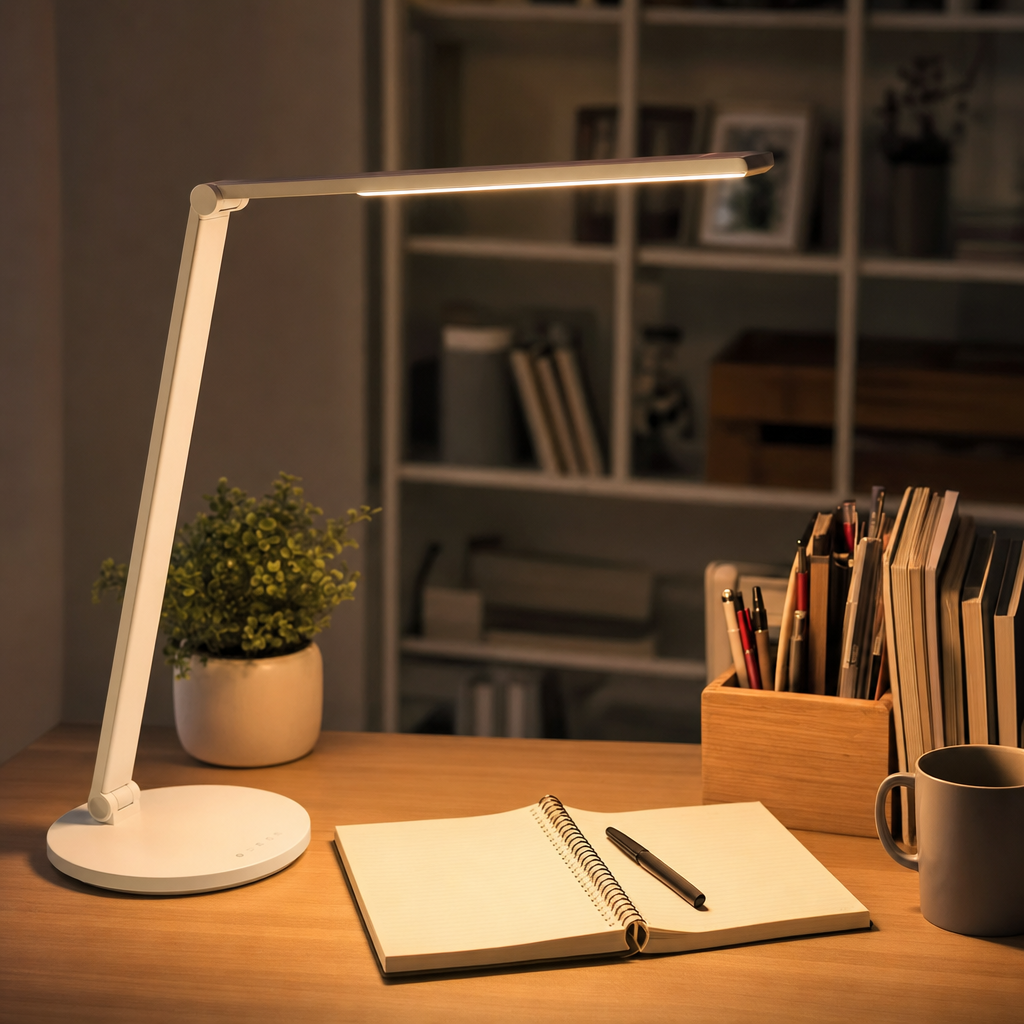
Understanding the Importance of Adequate Task Lighting
Good illumination is essential for any productive workspace, yet it is frequently overlooked during office setup. When you search for the best desk lamp, you are typically looking for a tool that reduces eye strain, enhances visibility, and prevents headaches during long reading or computer sessions. Overhead lighting alone rarely provides the focused brightness needed for detailed paperwork, precise crafting, or reading physical books. Task lighting bridges this gap by concentrating illumination directly onto your working surface, allowing your eyes to relax without squinting against shadows or overly glaring ambient bulbs.
Beyond basic visibility, proper desk lighting directly impacts your overall mood, alertness, and circadian rhythm. Working under dim or poorly distributed light forces the eye muscles to work much harder, leading to fatigue, dry eyes, and general physical discomfort by the end of the afternoon. By introducing a dedicated lamp to your desk setup, you create a personalized zone of comfort that adapts to your specific visual requirements throughout the day. Whether you are reviewing architectural blueprints, studying textbooks, or typing emails, the right lighting creates a clear boundary between your active workspace and the rest of the room.
Key Features to Evaluate When Comparing Desk Lamps
When evaluating various illumination options, understanding technical specifications helps you make an informed choice. Brightness is measured in lumens rather than watts, with most standard workspaces requiring anywhere from 450 to 1,100 lumens depending on the room’s natural light. Color temperature, measured in Kelvin, is another critical factor that dictates whether light appears warm and yellowish or cool and bluish. A neutral white color temperature around 4000K to 5000K closely mimics natural daylight, making it ideal for concentration and detailed tasks without feeling overly clinical or harsh on the eyes.
Adjustability is equally important, as a rigid fixture often creates awkward shadows across your workspace. Look for models featuring multi-pivot arms, rotating heads, or flexible goosenecks that let you direct the beam precisely where it is needed most. Many modern designs also include dimming capabilities, allowing you to lower the intensity during late-night reading sessions or crank it up when precision is paramount. Additionally, consider the physical footprint of the base; heavy weighted bases prevent tipping, while clamp-on styles free up valuable desk space for keyboards and notebooks.
Common Bulb Technologies and Energy Efficiency
Lighting technology has evolved significantly, moving away from traditional incandescent bulbs toward more sustainable alternatives. Light Emitting Diodes have become the industry standard due to their exceptional energy efficiency, minimal heat generation, and remarkable longevity. An LED desk lamp can operate for tens of thousands of hours without needing a replacement, saving both money and maintenance effort over time. Furthermore, LEDs do not contain hazardous materials like mercury, making them safer for home offices and easier to dispose of responsibly at the end of their operational lifecycle.
Integrated LED fixtures versus traditional screw-in bulb designs offer distinct advantages for different users. Integrated models allow manufacturers to create sleek, ultra-thin profiles that fit seamlessly into minimalist interior designs. However, if the integrated diode eventually fails, the entire unit usually must be replaced. Conversely, desk lamps that accept standard E26 or GU10 bulbs give you the freedom to swap out individual bulbs whenever your preferences change regarding brightness or color temperature. Evaluating your personal preference for aesthetic sleekness versus long-term modularity will guide your decision.
Ergonomic Placement and Workspace Integration
Proper placement of your task lighting is just as crucial as the physical features of the fixture itself. If you are right-handed, position your lamp on the left side of your desk to prevent your writing hand from casting annoying shadows across your paper. Left-handed individuals should reverse this setup for optimal shadow reduction. Additionally, ensure the light source sits slightly below eye level to prevent direct glare from shining into your eyes, which can cause severe discomfort and temporarily impair your vision after looking away.
Consider how your desk lamp integrates with computer screens and digital monitors to prevent unwanted reflections. Placing a bright light directly behind or in front of a glossy monitor often results in distracting glare spots that force you to lean forward or strain your neck. Instead, position the fixture slightly to the side and angle the beam downward toward your desk surface rather than outward toward your face or screen. Maintaining a balanced contrast between your screen brightness and your ambient desk illumination creates a harmonious visual environment.
Advanced Functionality and Modern Conveniences
Modern task lighting often incorporates technological enhancements designed to streamline your daily workflow. Many desktop fixtures now include integrated USB charging ports or wireless Qi-charging pads built right into the base. These features eliminate desk clutter by allowing you to power your smartphone, tablet, or wireless accessories without reaching for wall outlets or messy power strips. Other advanced models feature built-in USB-C ports to support faster charging protocols for modern electronics, making your desk setup remarkably efficient and organized.
Smart home connectivity represents another major advancement in modern task lighting design. Voice-activated fixtures and app-controlled lamps allow you to adjust brightness levels, change color temperatures, or set automated schedules without touching a physical switch. Some sophisticated models even feature ambient light sensors that automatically adjust output based on changing daylight conditions in your room. While these high-tech features add convenience, it is important to balance them against your core lighting needs to ensure you are prioritizing optical quality above gimmicks.
- Assess your primary activities to determine needed lumen output.
- Choose neutral white color temperatures between 4000K and 5000K for focus.
- Position the lamp on the opposite side of your writing hand to avoid shadows.
- Incorporate dimming controls to adjust brightness throughout the day.
- Utilize built-in USB ports to keep your workspace tidy and free of clutter.
Frequently Asked Questions About Desk Lamps
How many lumens do I need for reading and office work?
For general reading and computer work, a lamp providing between 450 and 800 lumens is usually ideal. If you do detailed crafts, drafting, or fine print work, look for models offering up to 1,100 lumens with adjustable dimming controls.
What color temperature is best for studying and concentration?
A neutral white color temperature between 4000K and 5000K is generally recommended for studying and work. This range mimics natural daylight, keeping you alert and focused without feeling overly harsh or artificial on your eyes.
Should I choose an integrated LED lamp or a replaceable bulb?
Integrated LEDs allow for sleeker, modern designs and last for years, but the whole unit must be replaced if it fails. Replaceable bulb lamps offer more flexibility since you can easily swap out bulbs when your preferences change.
Where is the best place to position a desk lamp on a workstation?
Position the lamp on the opposite side of your dominant hand to prevent casting shadows while writing. Ensure the light source stays below eye level and illuminates your work surface without creating glare on your computer monitor.
Article Was Generated By AI.