
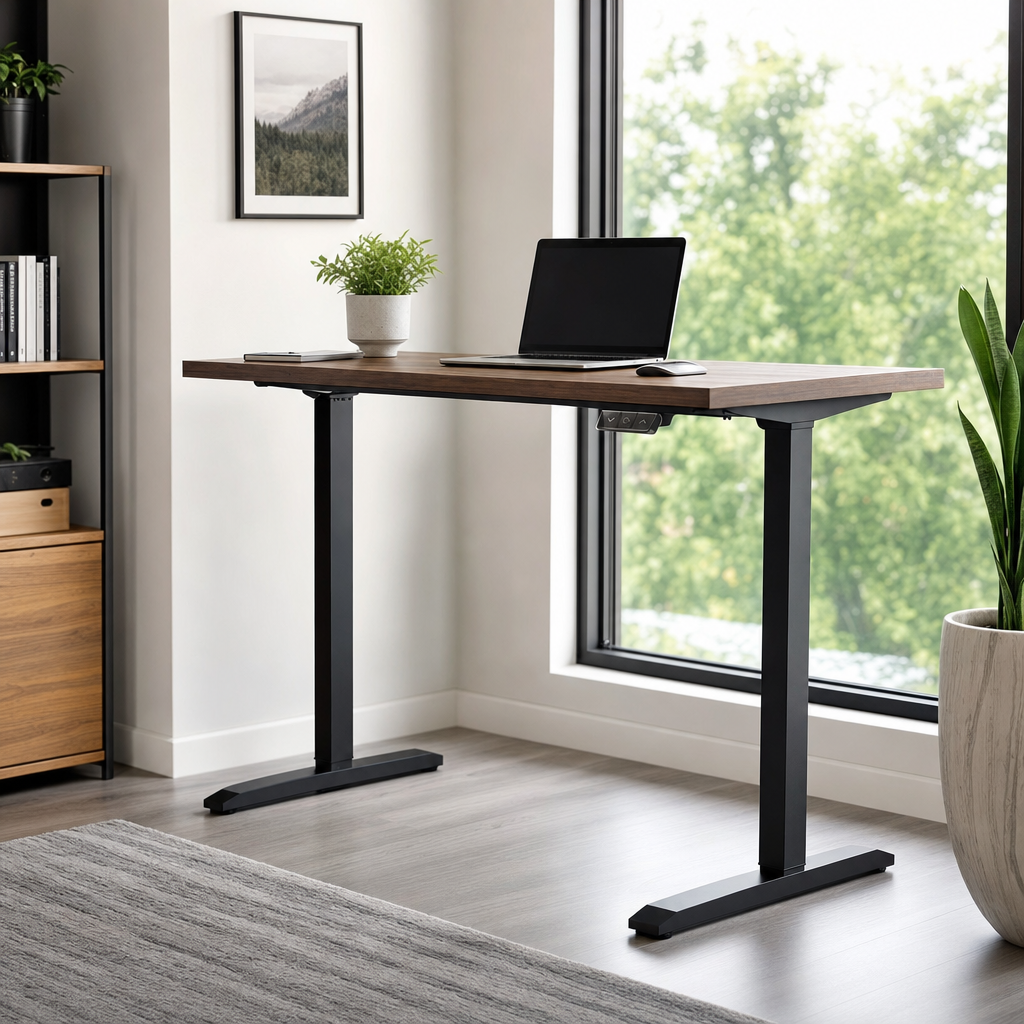
Understanding the Evolution of Modern Workspaces
The modern office environment has undergone a massive transformation over the past decade, shifting away from rigid, static seating arrangements toward dynamic, adaptable setups. At the heart of this evolution is the height-adjustable workstation, commonly known as a standing desk. These versatile furniture pieces allow users to effortlessly transition between sitting and standing postures throughout the workday. This flexibility addresses growing health concerns associated with prolonged sedentary behavior, which has been linked by health researchers to various long-term physical ailments. By reimagining how we interact with our office furniture, individuals can introduce vital physical activity into otherwise stationary hours.
When exploring the market for the best standing desk, you will quickly encounter a wide array of mechanical designs and aesthetic finishes. Some models rely on manual hand cranks, while others feature sophisticated electric motors capable of lifting heavy equipment smoothly at the push of a button. Pneumatic models offer a middle ground, utilizing gas cylinders to counterbalance the weight of the tabletop without requiring an electrical outlet. Understanding these fundamental mechanical differences is the first step in identifying a setup that aligns with your specific daily workflow, spatial limitations, and budget considerations.
Key Mechanical and Structural Features to Evaluate
Evaluating the structural integrity of a height-adjustable workspace is crucial for ensuring long-term durability and safety. The weight capacity of the lifting columns determines how much equipment—such as multiple monitors, heavy desktop computers, and ergonomic accessories—the frame can safely elevate. Furthermore, stability at maximum height is a critical factor that many buyers overlook initially. High-quality frames feature sturdy steel construction and dual-motor systems that prevent wobbling during intense typing sessions, whereas cheaper alternatives may shake annoyingly when raised to elevated positions.
Another vital consideration involves the height adjustment range, which dictates whether the unit will accommodate your unique physical stature comfortably. A truly adaptable workstation should lower enough to let shorter individuals rest their feet flat on the floor with elbows bent at a ninety-degree angle, while also rising high enough for taller users to stand without slouching. Memory programmable handsets have become an industry standard for electric models, allowing you to save your preferred sitting and standing heights for quick, precise adjustments throughout a busy day.
Ergonomic Best Practices for Sitting and Standing
Owning a versatile workstation is only half the battle; maintaining proper ergonomics is essential to prevent repetitive strain injuries and muscle fatigue. When positioned in a standing posture, your computer monitor should be placed directly at or slightly below eye level to prevent neck strain caused by constantly looking downward. The top of the screen must align with your natural line of sight, while your keyboard and mouse should rest on the surface in a way that keeps your wrists flat and unbent. Taking time to calibrate these measurements correctly will protect your spine and shoulders from unnecessary discomfort.
Transitioning between postures requires a measured approach rather than dramatic, sudden shifts that could shock your body. Experts generally recommend starting with a balanced schedule, such as standing for fifteen to thirty minutes every hour, and gradually increasing standing intervals as your physical endurance improves. Listening to your body is paramount; if you begin to feel lower back pain or foot soreness, it is time to lower the desktop and resume a comfortable seated position. Incorporating a supportive anti-fatigue mat can also significantly reduce pressure on your joints during extended standing sessions.
Evaluating Workspace Configurations and Cable Management
Integrating a height-adjustable desk into an existing room requires careful planning regarding power access and spatial flow. As the desktop moves up and down, attached power cords, monitor cables, and peripheral wires must have sufficient slack to prevent dangerous pulling or snapping. Effective cable management trays and flexible spine conduits are essential accessories that keep wires neatly organized and secure during movement. Neglecting this aspect of setup often leads to tangled cords, accidental disconnections, and potential damage to expensive electronic equipment over time.
Desktop surface materials also demand careful evaluation based on your daily usage habits and interior design preferences. Solid wood options offer incredible durability and a classic aesthetic, though they tend to be heavier and more expensive. Laminated particle board surfaces provide a lightweight, cost-effective alternative that resists scratches and stains effectively. Additionally, consider the overall footprint of the desktop; L-shaped configurations offer expansive work surfaces for multitasking, whereas compact rectangular designs fit effortlessly into smaller home offices or tight corporate cubicles.
Common Considerations for Daily Maintenance and Longevity
Ensuring the longevity of an adjustable workstation involves routine maintenance and mindful daily operation. Electric motors and mechanical gears benefit from occasional inspection to verify that all mounting screws remain tightly secured and that the lifting columns travel smoothly without obstruction. Dust and debris can accumulate around moving parts, particularly in shared office spaces, so wiping down the frame periodically helps maintain optimal performance. It is also wise to be mindful of load distribution, ensuring that heavy items are centered rather than clustered heavily on one side of the desktop.
Understanding warranty coverage and customer support policies provides valuable peace of mind when investing in office furniture. Premium manufacturers typically offer robust warranties covering the steel frame, electronic components, and desktop surface against manufacturing defects for several years. Reviewing these terms before purchasing helps clarify what is protected should an issue arise with the motor controller or lifting mechanism. Proper care combined with reliable manufacturer support ensures that your adjustable workspace remains a functional centerpiece of your daily routine for many years.
Frequently Asked Questions
How long should I stand at a standing desk each day?
Most ergonomics experts recommend starting with short intervals of 15 to 30 minutes per hour, gradually building up your tolerance. The goal is to alternate between sitting and standing rather than standing for entire workdays.
Are electric or manual standing desks better for daily use?
Electric models offer effortless, precise height adjustments at the push of a button and usually include memory presets. Manual models are generally more affordable, require no power outlet, and use hand cranks or pneumatic lifts.
Do I need any special accessories to use a standing desk comfortably?
While not strictly required, an anti-fatigue mat, a monitor arm, and a proper cable management tray greatly enhance comfort, posture, and organization during daily tasks.
How much weight can a standard adjustable desk safely support?
Most quality standing desks support between 150 and 350 pounds, depending on the motor strength and frame construction. Always check the manufacturer specifications if you use multiple heavy monitors and equipment.
Article Was Generated By AI.