
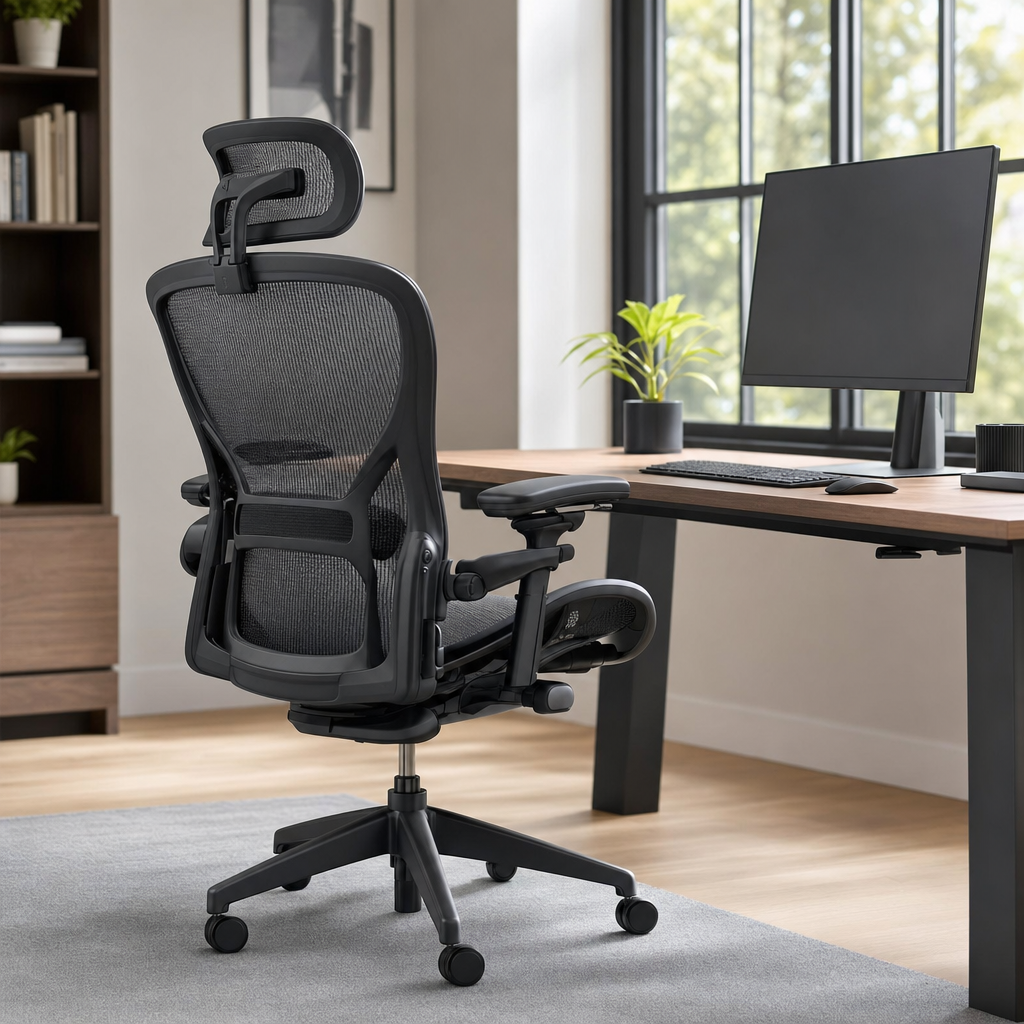
Introduction to Ergonomic Seating
The search for the best office chair often stems from a desire to improve comfort, productivity, and overall physical health during long hours of sitting. When individuals spend significant portions of their day at a desk, the furniture they use plays a critical role in supporting their spine, neck, and shoulders. Poor seating can lead to chronic discomfort, muscle fatigue, and poor posture over time, which ultimately impacts daily well-being and focus. Understanding what constitutes a high-quality seating solution helps individuals evaluate their workspace needs objectively.
Ergonomics is the science of designing equipment and furniture to fit the human body, rather than forcing the body to adapt to poorly designed objects. An ergonomically sound chair accommodates natural movements and provides targeted support where it is needed most. Rather than focusing solely on plush cushioning, modern seating design prioritizes structural alignment, dynamic support mechanisms, and pressure distribution. This foundational approach ensures that users can maintain a healthy posture throughout the workday without experiencing premature fatigue or stiffness.
Key Features of Supportive Office Chairs
Adjustability is arguably the most critical attribute when evaluating superior office seating. Because every human body is unique in height, weight, and proportions, a static chair simply cannot accommodate everyone comfortably. Essential adjustment mechanisms include seat height control, armrest positioning, and backrest tilt tension. When a chair offers multiple points of customization, users can fine-tune the seating geometry to match their specific body dimensions, ensuring that feet rest flat on the floor and elbows form comfortable angles at the desk surface.
Lumbar support is another non-negotiable element for maintaining spinal health during extended sitting sessions. The human spine features a natural inward curve in the lower back region, which tends to flatten out when people slouch in unsupportive seats. The best designs incorporate adjustable lumbar mechanisms that can be moved up, down, in, or out to cradle this natural curve. By maintaining proper lower back alignment, these supportive structures reduce undue stress on the lumbar vertebrae and prevent the development of lower back strain.
To help you evaluate office seating options thoroughly, consider the following checklist of essential adjustment and structural features before making any final decisions:
- Pneumatic seat height adjustment for proper leg positioning and knee alignment.
- Movable lumbar support that targets the natural curve of the lower back.
- Multi-dimensional armrests that adjust in height, width, and depth to relieve shoulder tension.
- Synchronized tilt mechanism allowing the backrest and seat pan to recline at a healthy ratio.
Materials, Build Quality, and Breathability
The choice of upholstery and construction materials significantly influences the durability, comfort, and maintenance requirements of any office chair. Mesh fabrics have become exceptionally popular for backrests and seat pans due to their superior breathability and flexibility. Unlike dense foam cushions that can trap body heat and cause discomfort during warm weather, mesh allows continuous airflow around the user. This ventilation prevents heat buildup and moisture retention, contributing to a more pleasant seating experience over hours of continuous work.
For those who prefer cushioned seating, high-density molded foam represents the gold standard in durability and pressure distribution. Lower-quality foam tends to compress permanently after a few months of use, leaving the user sitting directly on the hard wooden or plastic base underneath. High-density foam, however, retains its resilience and shape over years of heavy daily use. Combined with durable outer fabrics like tightly woven polyester or genuine leather, quality foam ensures that the seating surface remains supportive and comfortable over the long term.
Frame construction and base stability dictate the overall safety and longevity of the furniture. Heavy-duty bases made from reinforced nylon, cast aluminum, or steel provide a stable foundation that resists tipping and wobbling. High-quality casters, or wheels, ensure smooth mobility across different floor types, whether the user is rolling on low-pile carpet or a hardwood surface. Inspecting the five-star base and cylinder mechanism provides valuable insight into the overall craftsmanship and engineering standards of the chair.
Ergonomic Principles and Proper Posture
Owning a well-designed chair is only half the battle; maintaining correct posture is equally essential for reaping the physical benefits. Ergonomic experts recommend adopting the ninety-ninety-ninety rule, where the user’s elbows, hips, and knees are all bent at approximately ninety-degree angles. Feet should rest flat on the floor, or on an ergonomic footrest if the desk height cannot be lowered. This posture distributes body weight evenly, reduces pressure points on the thighs, and promotes healthy blood circulation throughout the lower extremities.
Dynamic sitting is another modern concept that challenges the idea of remaining entirely motionless while working. Even the most supportive chairs are not designed to keep a human body locked in a single rigid position for eight hours straight. The best seating encourages subtle movement through flexible recline mechanisms that allow the user to shift weight periodically. Changing positions engages core muscles gently, prevents muscle stiffness, and reduces the cumulative strain associated with prolonged static muscle contraction.
Desk setup and monitor placement must also align harmoniously with the chair’s adjustments to create an optimal workspace. If a monitor sits too low, the user will naturally hunch forward, neutralizing the lumbar support provided by the backrest. Similarly, armrests should support the forearms lightly without forcing the shoulders upward toward the ears. Taking a holistic view of the workspace ensures that every component works together to protect the user’s physical health and maintain high energy levels.
Evaluating Your Personal Seating Needs
Selecting or evaluating the best office chair begins with a careful assessment of how many hours will be spent sitting each day. Individuals who work at a desk for brief administrative tasks have vastly different seating requirements than remote professionals or gamers who log ten or more hours daily. Heavy daily usage demands commercial-grade durability, advanced multi-mechanism adjustments, and superior thermal regulation materials. Identifying your specific usage patterns prevents overspending on unnecessary features while avoiding inadequate support.
Physical dimensions and weight distribution are equally vital factors when determining which chair will provide optimal support. Many chairs are engineered to accommodate specific height and weight ranges, and exceeding these specifications can compromise both comfort and safety. Taller individuals require deeper seat pans and higher backrests to support their neck and shoulders, while petite users need shorter seat depths to avoid pressure behind their knees. Checking manufacturer specifications ensures a proper fit for your unique body proportions.
Personal workspace aesthetics and environmental conditions also influence seating choices in subtle yet important ways. Home offices often require designs that blend harmoniously with residential interior decor, whereas corporate environments prioritize standardized durability and professional appearance. Additionally, room temperature and personal thermal preferences should guide the decision between breathable mesh designs and warm, plush upholstery materials. Balancing personal comfort preferences with practical environmental factors leads to a much more satisfying long-term seating solution.
Frequently Asked Questions
What makes an office chair truly ergonomic?
An ergonomic office chair features extensive adjustability, including seat height, armrest positioning, and dynamic lumbar support. These elements allow the chair to adapt to the user’s unique body shape rather than forcing unnatural posture.
How important is lumbar support in a desk chair?
Lumbar support is vital because it maintains the natural inward curve of the lower back. Without it, slouching occurs naturally over time, leading to muscle fatigue, poor posture, and chronic lower back discomfort.
Are mesh office chairs better than cushioned ones?
Mesh chairs offer superior breathability and airflow, preventing heat buildup during long work sessions. Cushioned chairs with high-density foam provide softer pressure relief, making personal preference and climate the deciding factors.
How do I know if my office chair is adjusted correctly?
Your chair is properly adjusted when your feet rest flat on the floor, your knees and elbows form ninety-degree angles, and your lower back is firmly cradled by the lumbar support mechanism.
Article Was Generated By AI.